DevOps and CI/CD: Shipping Software Faster and Safer
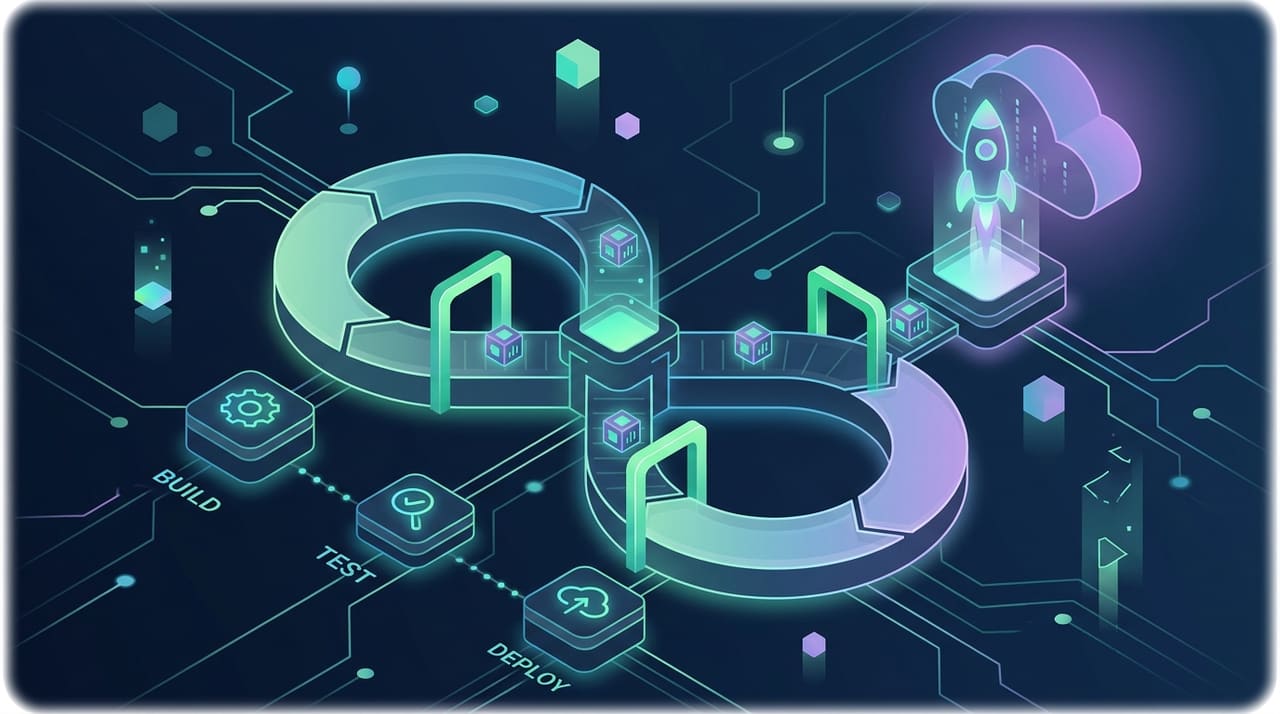
Modern software teams are judged on two things that used to be opposites: how fast they ship and how rarely they break. CI/CD, short for continuous integration and continuous delivery or deployment, is the engineering practice that reconciles the two. Instead of saving up changes for a risky quarterly release, teams integrate small changes continuously, verify them automatically and push them to production through a repeatable pipeline. The payoff is not just speed; it is predictability, quality and the confidence to change software without fear. This guide explains what CI/CD actually involves, how a modern pipeline is built, which deployment strategies fit which situations and how to measure whether any of it is working.
What CI/CD Actually Means
Continuous integration (CI) is the habit of merging every developer's work into a shared main branch frequently, ideally at least daily, with each merge triggering an automated build and test run. Integration problems surface within minutes of being created, while the change is small and the author still remembers the context. Continuous delivery (CD) extends the idea: every change that passes the pipeline is packaged into a deployable artifact, so the software is always in a releasable state and shipping becomes a business decision rather than a technical event. Continuous deployment goes one step further and releases every passing change to production automatically, with no human gate at all. The three form a ladder, and most teams climb it gradually as their test coverage and operational maturity grow.
The Real Cost of Manual Releases
Teams that deploy by hand pay for it in ways that rarely appear on any invoice. Releases become rare because they are stressful, so each one carries weeks of accumulated changes, which makes it riskier, which makes it rarer still, a vicious cycle every developer recognizes. Knowledge concentrates in the one person who knows the deployment ritual, and holidays become operational hazards. Environments drift apart because servers are configured by hand, producing the classic "works on my machine" failures. Rollbacks are improvised at the worst possible moment, under pressure, at night, with customers affected. A pipeline attacks every link in that chain: releases become small, boring and reversible, and the ritual becomes a script anyone can run. The teams doing custom software development at scale treat the pipeline as part of the product, not an optional extra.
Anatomy of a Modern CI/CD Pipeline
Concrete tools differ, from GitHub Actions and GitLab CI to Jenkins and Bitbucket Pipelines, but the stages are remarkably consistent:
- Commit and trigger. A push or merge request starts the pipeline automatically; nothing depends on someone remembering to run it.
- Build. The code is compiled or bundled and packaged into a versioned artifact, today most often a container image, that will travel unchanged through every later stage.
- Automated tests. Fast unit tests run first, then integration tests, then a small set of end-to-end tests, ordered so failures surface as early and cheaply as possible.
- Static analysis and security scanning. Linters, dependency audits and secret detection run alongside the tests.
- Deploy to staging. The artifact is released to a production-like environment for final verification, sometimes with manual exploratory testing.
- Release to production. Automatically or after an approval, using one of the strategies described below, followed by health checks that confirm the release is behaving.
Two principles hold the structure together: build the artifact once and promote that exact artifact everywhere, and keep the whole run fast, because a slow pipeline quietly teaches developers to batch changes and defeats the purpose.
Continuous Integration in Practice
CI succeeds or fails on habits, not tools. The branch model should keep work close to the mainline, with short-lived branches merged within days, since long-running branches simply postpone integration pain and let it compound. The test suite is the load-bearing wall: without meaningful automated tests, a green pipeline proves only that the code compiles. Aim for a pyramid, with many fast unit tests, fewer integration tests and a thin layer of end-to-end checks, and treat flaky tests as defects to fix immediately, because a suite the team has learned to distrust is worse than no suite at all. Finally, adopt the rule that a broken main branch is everyone's top priority. When the build stays red for days, the pipeline stops being a safety net and becomes background noise.
Continuous Delivery vs Continuous Deployment
The two CDs are often confused, and choosing between them is a genuine business decision. Continuous delivery keeps a human decision before production: the pipeline proves every change is releasable, and someone chooses when to release. Continuous deployment removes that gate, trading control for speed and forcing excellence in automated verification. Regulated industries, app-store review cycles and contractual release windows all push toward delivery; high-velocity web products with strong test coverage and good monitoring push toward deployment. Many teams run both at once, deploying internal services continuously while gating customer-facing releases, and that mixed model is a perfectly mature place to settle.
Deployment Strategies Compared
How a change reaches users matters as much as how often. The dominant strategies trade infrastructure cost against risk:
| Strategy | How it works | Downtime | Rollback | Best suited to |
|---|---|---|---|---|
| Recreate (big bang) | Stop the old version, start the new one | Yes, brief | Redeploy previous version | Internal tools, low-traffic apps |
| Rolling update | Replace instances gradually behind a load balancer | No | Roll forward or reverse the rollout | Standard stateless services |
| Blue-green | Run two identical environments and switch traffic at once | No | Instant switch back | Releases needing fast, clean reversal |
| Canary | Send a small slice of traffic to the new version, then expand | No | Shift traffic back to stable | High-traffic products, risky changes |
Feature flags complement all of these by separating deployment from release: code ships dark and is activated per audience when ready, which also gives the business a kill switch that does not require an emergency deploy.
Infrastructure as Code and Environment Parity
Pipelines assume environments are reproducible, and hand-configured servers never are. Infrastructure as code, with tools such as Terraform for provisioning and containers for runtime consistency, turns environments into versioned, reviewable artifacts: staging can be rebuilt to match production exactly, an environment can be recreated after a failure instead of repaired by archaeology, and the difference between environments shrinks to configuration values held outside the code. Secrets belong in a dedicated manager, never in the repository. Managed cloud services pair naturally with this approach, since databases, queues and storage can be declared alongside the application that uses them and promoted through environments with the same discipline as code.
Building Security into the Pipeline
A pipeline that touches production is both a security control and a target, and DevSecOps is the practice of treating it as both. Shift checks left so they run on every commit: static application security testing on your own code, dependency scanning against known vulnerabilities, secret detection to catch credentials before they reach history, and container image scanning before anything is pushed to a registry. Then harden the pipeline itself, because it holds the keys to production: least-privilege deploy credentials, short-lived tokens instead of long-lived keys, protected branches, mandatory reviews and signed artifacts so what you deploy is provably what you built. The goal is not a wall of blocking alerts, which teams quickly learn to bypass, but a tuned set of checks whose failures are rare, meaningful and acted upon.
Measuring Delivery Performance
The DevOps research community popularized four metrics that together capture both speed and stability, and they remain the most useful dashboard for a delivery team:
- Deployment frequency: how often you release to production.
- Lead time for changes: how long a commit takes to reach production.
- Change failure rate: what share of releases cause a problem needing remediation.
- Time to restore service: how quickly you recover when one does.
Their power is in the pairing: chasing speed alone encourages recklessness, chasing stability alone encourages stagnation, and improving all four together is the signature of a healthy pipeline. Track trends rather than absolutes, and resist turning the metrics into individual performance targets, which reliably corrupts them.
Adopting CI/CD Without Boiling the Ocean
The most common adoption mistake is attempting everything at once. A saner sequence: put everything in version control, including infrastructure definitions; automate the build so an artifact is produced on every push; add the tests you most wish you had, starting where bugs actually occur; automate deployment to a staging environment; then automate production releases with a simple strategy and improve from there. Each step pays for itself independently, so momentum survives even if priorities shift. Culture moves with the tooling: blameless reviews of failures, shared ownership of the pipeline and the expectation that anyone can release are what make the automation stick.
Frequently Asked Questions
What is the difference between CI and CD?
CI is about integrating and verifying code changes continuously: frequent merges, automated builds and tests. CD is about getting those verified changes to users: continuous delivery keeps software always releasable with a human deciding when, while continuous deployment releases every passing change automatically.
Is CI/CD only for large teams?
No. Small teams arguably benefit more, because automation replaces the spare hands they do not have. A minimal pipeline, an automated build, a core test suite and a scripted deploy, takes little time to set up with modern hosted tools and immediately removes the riskiest manual steps.
Do we need microservices or Kubernetes to use CI/CD?
Not at all. A monolithic application deployed from a pipeline beats microservices deployed by hand. CI/CD is architecture-neutral: it works for monoliths, serverless functions, mobile apps and static sites. Adopt orchestration platforms when your operational needs demand them, not as a prerequisite for automation.
How much testing is enough before automating deployments?
Enough that a green pipeline genuinely raises your confidence: critical user journeys covered end to end, core business logic under unit test, and integrations exercised against realistic dependencies. Start gated, watch how often the pipeline catches real issues, and loosen the gates as trust accumulates.
What does a CI/CD pipeline cost to run?
Costs are mostly compute minutes on pipeline runners, duplicated environments for staging or blue-green setups, and the initial engineering time to build it. Qualitatively, these are dwarfed by what manual releases cost in developer hours, delayed features and production incidents; the pipeline is usually the cheaper option within months.
Conclusion
CI/CD is less a toolchain than a discipline: integrate small changes constantly, verify them automatically, keep the software releasable and make deployments so routine they are boring. Teams that reach that state ship faster and sleep better, because speed and safety stop being a trade-off. Start with version control and an automated build, grow the test suite where it hurts most, and add deployment automation one environment at a time. DIREKTDOTCOM builds delivery pipelines alongside the products we develop, from build automation to cloud deployment, and if you want help designing a pipeline that fits your stack and your team, contact us and we will map it out together.