What is a headless CMS? A practical guide for businesses
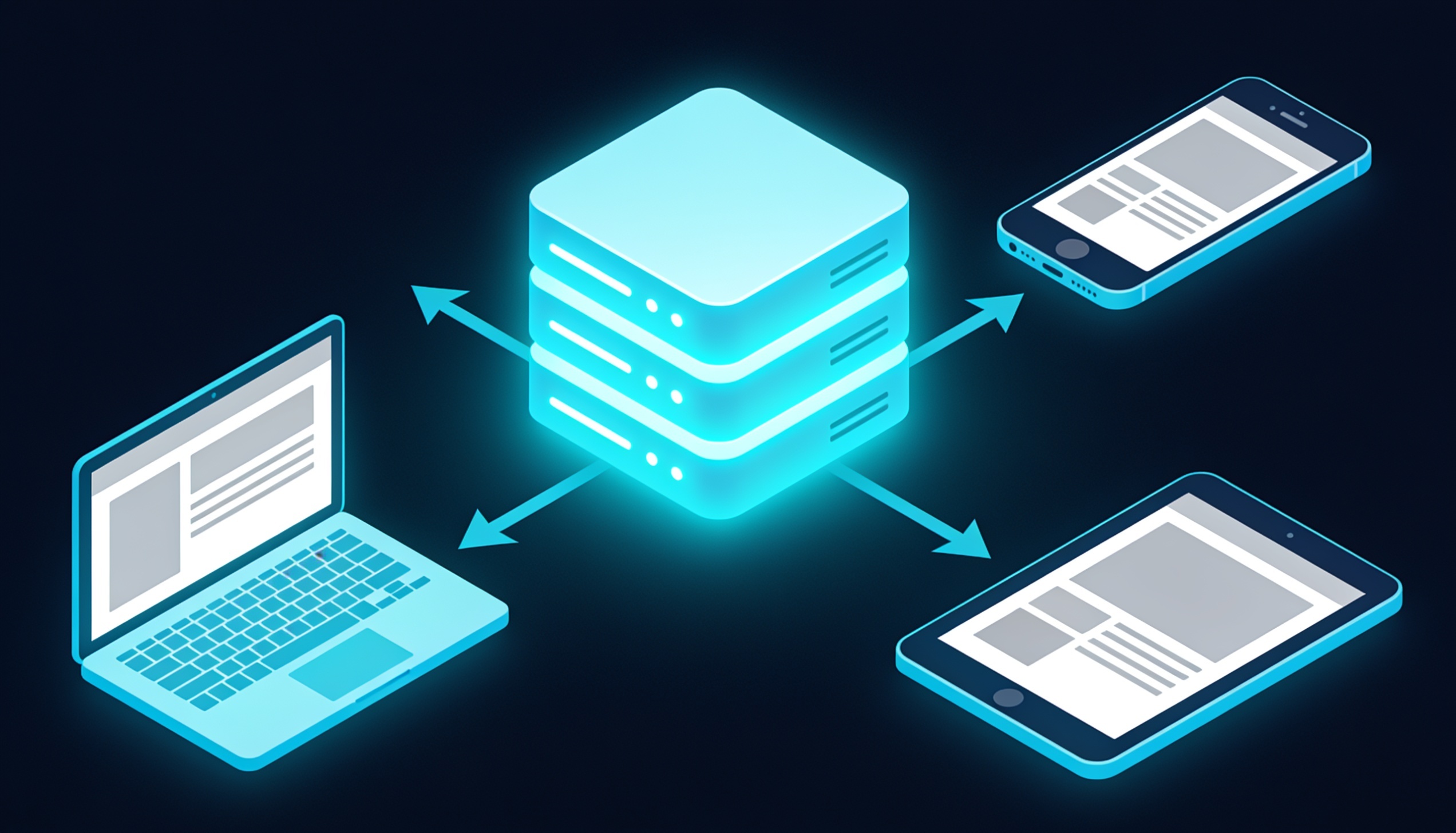
A headless CMS is one of the most talked-about ideas in modern web development, yet for many business owners the term sounds more intimidating than it needs to. Strip away the jargon and it describes a simple, powerful shift: separating where your content is stored and managed from where it is displayed. Instead of a content management system that is tightly bolted to a single website design, a headless CMS holds your content in a neutral hub and delivers it, on demand, to any screen or channel you choose — a website, a mobile app, a smart display, or a platform that does not exist yet. This guide explains what that means in plain terms, how it compares to the traditional approach, and how to decide whether it is the right choice for your business.
First, what is a CMS?
A content management system, or CMS, is the software that lets non-technical people create, edit and publish content on a website without writing code. When you log in to a dashboard, write a blog post, upload an image and hit “publish”, you are using a CMS. It handles storing your content, organising it, and turning it into the pages your visitors see. For decades the dominant model has been the traditional or monolithic CMS, where content management and content presentation are packaged together in one system.
What “headless” means in plain terms
In a traditional CMS, the “body” (where content is stored and edited) and the “head” (the front end that displays it — the templates, themes and design) are joined together. A headless CMS removes the head. The content lives in a back end that has no built-in presentation layer; instead, it exposes your content through an API — a structured feed that any front end can request and display however it likes.
Think of it like a kitchen that prepares dishes and sends them out through a serving hatch. The traditional CMS owns both the kitchen and the dining room, decorated one specific way. The headless CMS runs only the kitchen and serves dishes through the hatch to any dining room you build — a website, an app, a kiosk — each styled independently. The content is prepared once and served everywhere. Building those front ends is where a modern web application approach comes into its own.
Traditional CMS vs headless CMS
The clearest way to understand the difference is to compare the two models directly across the factors that matter to a business: flexibility, performance, the channels you can reach, security and the demands each places on your team.
| Factor | Traditional CMS | Headless CMS |
|---|---|---|
| Architecture | Content and presentation coupled | Content and presentation separated |
| Front-end flexibility | Limited to the system’s themes | Any technology the team chooses |
| Multichannel delivery | Primarily one website | Website, apps and more from one source |
| Performance ceiling | Constrained by the platform | Very high with a modern front end |
| Security surface | Larger, public-facing back end | Smaller, back end can stay hidden |
| Editor experience | What-you-see preview built in | Depends on setup; preview must be configured |
| Developer effort | Lower to launch | Higher; front end is built separately |
The benefits of a headless CMS
Separating content from presentation unlocks several advantages that compound as a business grows and its digital footprint expands.
Flexibility for developers
Because the front end is decoupled, developers can build it with whatever modern framework best fits the project, and they can redesign the entire look of a site without touching the underlying content. Content and design evolve independently, which makes large redesigns far less risky.
Performance
Headless setups are frequently paired with fast, modern front ends that can be pre-rendered and served from a global network, producing very quick load times. Speed is not a vanity metric — it affects conversions and rankings directly, as we explain in our article on how a slow website is costing you customers.
Multichannel delivery
This is the headline benefit. The same content can feed a website, a mobile app, a digital display and any future channel through the same API, so you write once and publish everywhere instead of maintaining separate copies. For organisations running both a site and an app, this is transformative; the trade-offs are explored in our comparison of a web app versus a mobile app.
Security
With no public-facing rendering layer attached to the content store, the back end can be kept hidden from the public internet, reducing the attack surface that traditional, widely-targeted platforms expose.
- Use any front-end technology you like.
- Reuse one content source across many channels.
- Achieve excellent performance with a modern front end.
- Reduce the public attack surface.
- Scale the front end and back end independently.
The drawbacks — and when it is overkill
A headless CMS is not automatically the right answer. The same decoupling that delivers flexibility also adds complexity, and for many projects that complexity is not worth it.
- Higher upfront effort: the front end must be built and maintained separately, which usually means more developer involvement.
- Editor experience needs work: the convenient “what you see is what you get” preview of traditional systems must be deliberately set up.
- More moving parts: you are coordinating a back end, an API and one or more front ends rather than a single package.
- Ongoing reliance on developers: changes that a theme-based system handles out of the box may require engineering time.
If you run a small brochure website or a straightforward blog, a single channel, and a small team that wants to manage everything without developers, a traditional CMS is often the pragmatic, cost-effective choice. Going headless for such a project adds cost and complexity without delivering its core advantages.
Who should use a headless CMS?
The decision comes down to your channels, your scale and your appetite for custom development. A headless approach tends to pay off when you publish to more than one channel, when performance and a bespoke design are priorities, or when you expect to evolve your front end frequently. A traditional CMS tends to win when you have a single website, limited technical resources and a need for editors to manage everything independently.
| Choose headless when… | Choose traditional when… |
|---|---|
| You serve multiple channels (web, app, more) | You have a single website |
| Performance and custom design are priorities | A standard theme meets your needs |
| You have development resources available | You want minimal developer dependence |
| You expect frequent front-end change | Your site is stable and simple |
If you are unsure which model fits, it often helps to align the decision with your broader technology choices — our guide on how to choose a technology stack walks through that reasoning. For complex, content-driven products, our software development team can help you weigh the options.
How it affects developers and content editors
The two groups experience the shift very differently, and a successful headless project keeps both in mind.
For developers, headless is liberating. They are free to use the tools and frameworks they prefer, build a highly optimised front end, and update design and content models independently. The cost is greater initial setup and the responsibility of building features — previews, navigation, forms — that a traditional system might provide automatically.
For content editors, the experience depends heavily on how the system is configured. A well-implemented headless CMS gives editors clean, structured fields and a reliable preview; a poorly configured one can leave them publishing without being able to see the result. Investing in a good editing and preview setup is essential so that the people creating content day to day are not slowed down by the architecture beneath them.
SEO considerations with headless
A common myth is that headless sites are bad for SEO. The truth is that headless is neutral — it can be excellent or poor for search depending on how the front end is built. Because search engines need to read your content reliably, the front end must render it in a way crawlers can access, ideally through server-side rendering or pre-rendering rather than relying solely on the browser to assemble the page.
- Render content server-side so search engines reliably see it.
- Keep control of metadata — titles, descriptions and structured data — in the front end.
- Exploit the speed advantage, since fast pages support better rankings.
- Manage URLs, redirects and sitemaps deliberately, as these are now the front end’s responsibility.
Handled well, a headless architecture can produce some of the fastest, most SEO-friendly sites available; handled carelessly, it can hide content from search engines. The outcome is a function of implementation, not of the model itself. To go deeper on building robust products this way, see our complete guide to building a SaaS product, and explore our AI services for content-driven platforms.
FAQ
Is a headless CMS better than a traditional CMS?
Neither is universally better; they suit different needs. Headless excels at multichannel delivery, performance and design flexibility, while traditional systems are simpler and cheaper for a single website managed by a small team. The right choice depends on your channels, resources and goals.
Does a headless CMS hurt SEO?
No, not inherently. SEO performance depends on how the front end is built. With server-side rendering, proper metadata and clean URLs, a headless site can be extremely SEO-friendly and very fast. Problems arise only from poor implementation.
Do I need developers to run a headless CMS?
You typically need developers to build and maintain the front end, more so than with a theme-based traditional CMS. Day-to-day content editing, however, can be straightforward for non-technical editors once a good editing and preview setup is in place.
Can a headless CMS power both my website and mobile app?
Yes — that is one of its main strengths. The same content is delivered through an API to any number of channels, so a single source can feed your website, mobile app and other platforms without duplicating content.
Is a headless CMS overkill for a small business?
It can be. If you have a single, simple website and a small team, a traditional CMS is usually more practical and cost-effective. Headless makes the most sense when you have multiple channels, performance ambitions or a need for custom design.
Conclusion
A headless CMS is not a trend to chase for its own sake; it is an architectural choice that pays off when your content needs to live in more than one place and your business values performance and flexibility. For a single brochure site, a traditional system is often the wiser, leaner choice. The key is to match the architecture to your real needs rather than the hype. If you would like help deciding which approach fits your business — or building a fast, future-proof content platform — explore our e-commerce and development expertise, review our pricing, or contact us to discuss your project.